
What is Heptabase?
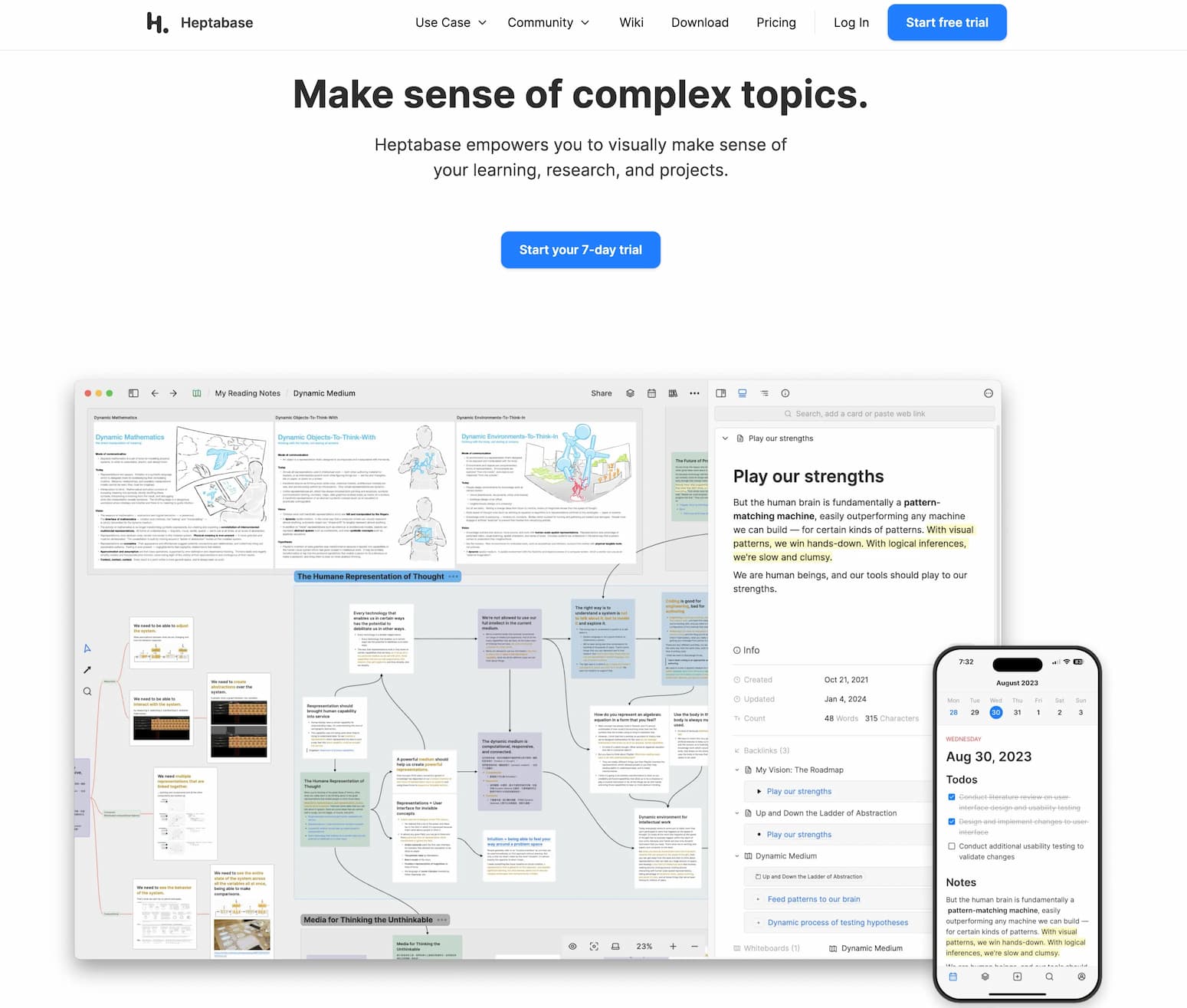
Heptabase is a visual note-taking tool designed to help users understand complex topics through whiteboards, sections, and mind maps. It integrates highlights, annotations, PDFs, journals, and research notes into a unified platform, facilitating efficient project management with powerful tags and properties.
How to Use Heptabase
-
Sign Up: Begin with a 7-day free trial by creating an account on the Heptabase website.
-
Download the App: Install Heptabase on your preferred device. It's available for Mac, Windows, Linux, iOS, and Android.
-
Create Notes: Use whiteboards to visualize your notes, organize them into sections, and develop mind maps to connect ideas.
-
Integrate Resources: Import PDFs, journals, and research notes. Utilize the tagging system to categorize and manage your materials effectively.
-
Sync Across Devices: Access your notes offline and enjoy real-time syncing across multiple devices for seamless workflow.
Heptabase's Core Features
-
Visual Note-Taking: Employ whiteboards, sections, and mind maps to represent complex information visually.
-
Resource Integration: Combine highlights, annotations, PDFs, journals, and research notes in one place.
-
Project Management: Organize projects with tags and properties for clarity and flexibility.
-
Offline Access: Work without an internet connection; all notes and files are accessible offline.
-
Real-Time Syncing: Sync notes across unlimited desktop and mobile devices instantly.
-
Cross-Platform Availability: Compatible with Mac, Windows, Linux, iOS, and Android devices.
A Few Small Tips for Using Heptabase
-
Utilize Tags: Implement tags to categorize notes, making retrieval more efficient.
-
Explore Mind Maps: Use mind maps to connect related ideas, enhancing understanding of complex topics.
-
Regular Backups: Ensure your notes are regularly backed up to prevent data loss.
-
Keyboard Shortcuts: Learn keyboard shortcuts to navigate the app more efficiently.
-
Stay Updated: Keep the app updated to access new features and improvements.
FAQ from Heptabase
-
Is Heptabase available?
Yes, Heptabase is available for download on multiple platforms, including Mac, Windows, Linux, iOS, and Android.
-
What does Heptabase do?
Heptabase is a visual note-taking tool that helps users understand complex topics by integrating various resources and providing project management features.
-
Is Heptabase free?
Heptabase offers a 7-day free trial. After the trial, it requires a subscription, with plans starting at $8.99 per month when billed annually.
-
When was Heptabase released?
Heptabase was founded in late 2021, with the public beta available in 2022. Version 1.0 was officially released in August 2023.
-
Is Heptabase as good as other tools?
Heptabase offers unique features like visual whiteboards and real-time syncing. Its effectiveness compared to other tools depends on individual needs and preferences. Some users find it valuable for its distinctive approach to note-taking.
Pricing Plans
Heptabase offers two subscription plans:
-
Monthly Plan: $11.99 per month, including whiteboard note-taking, PDF annotations, web and mobile apps, and real-time syncing with local-first support.
-
Yearly Plan: \(8.99 per month (billed annually at \)107.88), offering the same features as the monthly plan at a discounted rate.


