VERT.sh
VERT.sh is a free and open-source file converter that supports image, audio, document, and video format conversions—all processed locally using WebAssembly. It’s private, ad-free, and requires no login or uploads, making it a safe and efficient choice for everyday users and professionals alike.
Website Preview
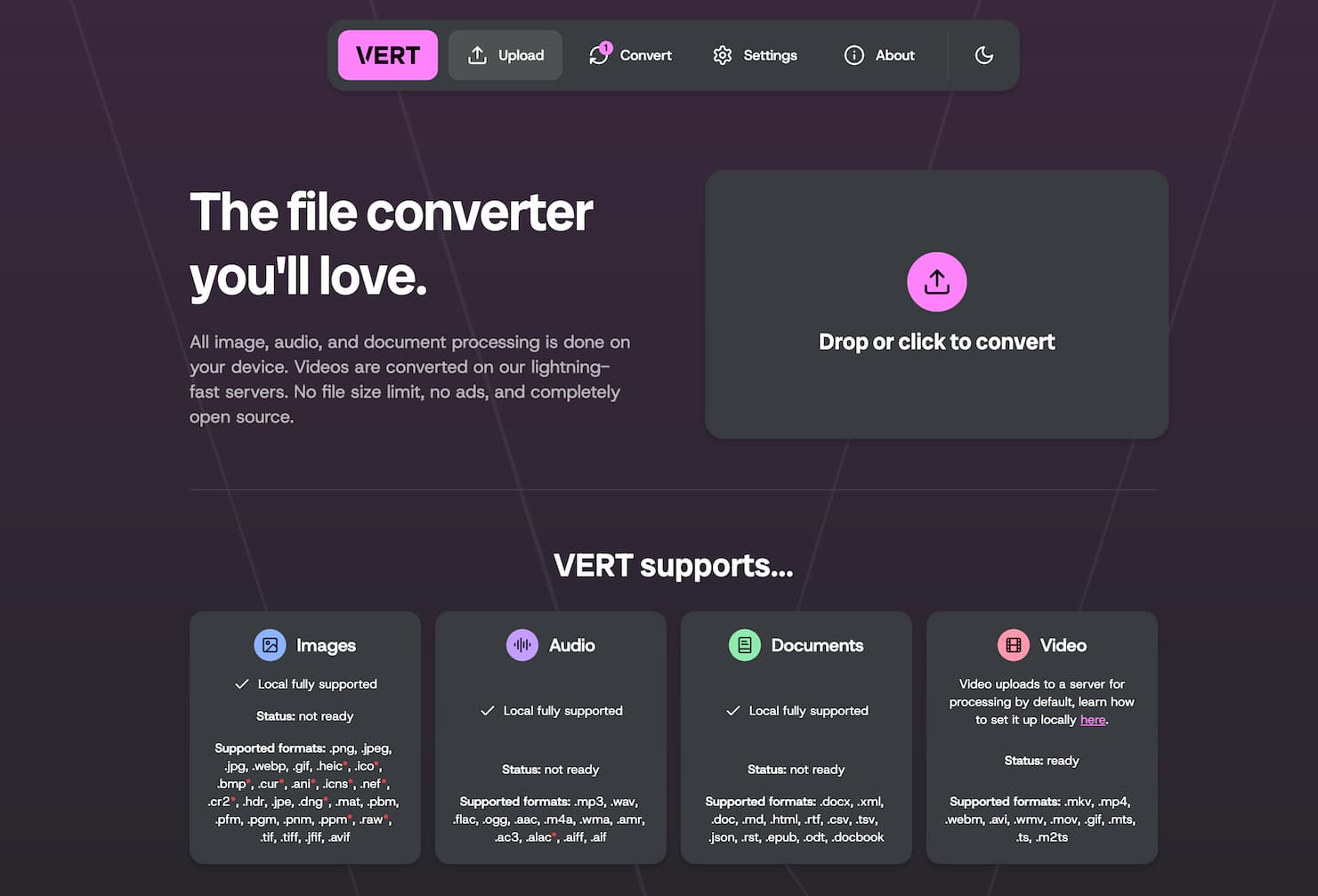
Detailed Introduction
VERT.sh - A Free, Open-Source, No-Ads Local File Converter
What is VERT.sh?
VERT.sh is an open-source file conversion tool that supports a wide range of formats, including images, audio, documents, and video. It runs entirely in your browser using WebAssembly, which means your files are processed locally on your device—nothing is uploaded to the cloud (except for video conversions unless self-hosted). This makes it a secure, private, and efficient solution for users who need to convert files regularly. VERT.sh is ideal for individuals, developers, and businesses who value speed and privacy.
Why Choose VERT.sh?
- Local Processing: Except for video files (unless self-hosted), all conversions are handled entirely on your device, ensuring full privacy.
- No File Size Limits: Convert any file size without restrictions or hidden limits.
- Free and Open-Source: VERT.sh is 100% free to use and completely open-source, with code available on GitHub.
- No Ads or Tracking: The website contains no advertising or analytics, offering a clean and focused user experience.
- Wide Format Support: Convert between many popular formats across images, audio, documents, and video.
Core Features of VERT.sh
Image Format Conversion
Convert between PNG, JPEG, WebP, GIF, HEIC, BMP, TIFF, AVIF, and more. Perfect for designers, web developers, and casual users.Audio Format Conversion
Convert MP3, WAV, FLAC, OGG, AAC, M4A, and others. Useful for musicians, editors, or anyone needing compatible audio formats.Document Format Conversion
Convert DOCX, Markdown (MD), HTML, CSV, JSON, EPUB, and more. Handy for developers, writers, and researchers.Video Format Conversion
Supports MP4, MKV, WebM, AVI, MOV, and more. Handled via server by default, but can be self-hosted for local-only processing.Batch File Conversion
Upload and convert multiple files at once for faster workflows and better productivity.
How to Start Using VERT.sh?
- Visit https://vert.sh/
- Click “Upload” or drag and drop your files into the interface.
- The site will auto-detect file types. Choose your desired output format.
- Click “Convert” and wait for the process to finish.
- Click “Download” to save your converted file.
Tips for Using VERT.sh
Drag-and-Drop Upload
You can drag files directly onto the webpage for quick uploading and conversion.Batch Conversion
Select multiple files at once to save time when converting many assets.Host It Yourself
If you want 100% local conversion including videos, you can deploy the VERT.sh code yourself via its GitHub repository.
VERT.sh FAQ
Q: Is VERT.sh currently available?
A: Yes, VERT.sh is fully available and functional. Just go to https://vert.sh/ and start converting your files.Q: What exactly can VERT.sh help me do?
A: VERT.sh helps you convert files between a wide range of formats, including image, audio, video, and document formats. It’s useful for content creation, coding, publishing, and general digital file management.Q: Does VERT.sh cost anything to use?
A: No. VERT.sh is entirely free to use and is also open-source, so you can use, inspect, or modify the code as needed.Q: When was VERT.sh launched?
A: VERT.sh was launched in 2025 as a modern, privacy-first alternative to cloud-based converters.Q: How does VERT.sh compare to CloudConvert?
A: If you prioritize privacy and prefer local processing, VERT.sh is ideal. CloudConvert, on the other hand, is cloud-based and better suited for automation, integrations, and larger pipelines. Choose based on whether local security or cloud-based flexibility is more important to you.Q: What file types does VERT.sh support?
A: It supports a wide array of formats, including PNG, JPEG, MP3, WAV, DOCX, MD, MP4, MKV, and many more across image, audio, document, and video categories.
Related Sites



Comments
Leave a Comment
Share your thoughts about this page. All fields marked with * are required.
Comments
0Rating
Quick Action
Lables